My 2026 AI Setup as an engineer
If you were living in 2022 and not using AI agents or coding assistants in your day-to-day work, you were probably still fine. In 2026, that will no longer be the case.
Using AI will be a must. Every developer and architect will need an AI setup whether that means a custom workflow or a small set of trusted tools integrated into their daily work.
I have a keen interest in understanding how developers structure their AI setups today:
What do their workflows look like?
- How has their mental model changed when delivering projects with AI?
- Which tools do they rely on, and why?
- What practical tricks and tips have they learned along the way?
With so many AI options available right now, these questions feel more relevant than ever.
This curiosity is well summarized in a tweet by Andrej Karpathy, which strongly resonates with me.
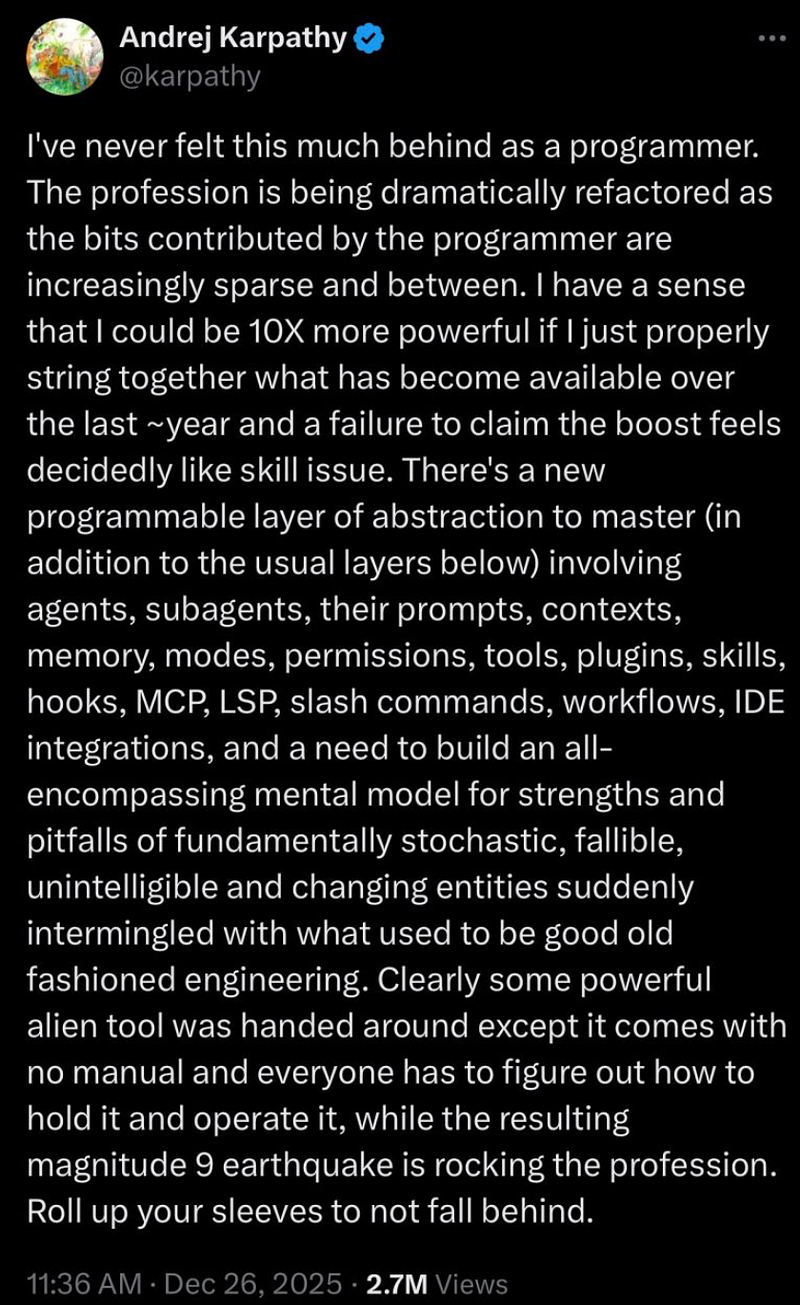
In this blog, I’m sharing my personal AI setup and mental model. I’d also love to hear about your setup feel free to share it in the comment
My mental model
For me, I divide my work or task the type or category. As a solution architect, my day-to-day responsibilities (both professional and personal) range widely, from writing emails and blogs, to coding, researching, and creating content.
Broadly, my tasks fall into the following categories:
- Coding, new projects, maintenance, adding new features, debugging, etc.
- Research (topic for blogging, ideas for project building, etc)
- Non-coding tasks, email, blog, summary, grammar review etc.
- Image or video creation for my blogs, youtube channel.
2. My Setup
I have 2 machine -work and personal. Both have different setup as at work laptop I used Amazon’s AI tools, Kiro. This blog’s focus is only my personal laptop.
I use the following tools:
- ChatGPT Plus
- Cursor IDE
- Google Gemini (free)
- MCP(s) mostly at work
- Code rabbit for code reviews
- Terminal ❤
3. Coding workflow
AI has changed the way I used to code or do any task. Now, it is no longer about open the IDE and start coding. For me my workflow is:
- Use Cursor and setup rules. eg. folder to be created, commands to be use or not to use (kind of guardrails).
- Select the best model (based on my requirement)
- Start with requirements in a text file and use this as a base prompt for cursor. This is where my most of the time goes (fortunately/unfortunately)
- Write prompt to cursor like a product engineer, and user.
- Make Cursor think 360 deg, architect, accessibility, best practice, security etc.
- Make cursor to summarise every task. For me this step is v important, as it helps me to keep track of what all changes it is doing & try to make it accountable whenever losing the track Also, it means more and more reading.
- Review (human in loop) at every step before git commit, and git push
4. Research work
- Setting up a persona for chatGPT, or gemini. Eg: words, emotions (writing style) , to be avoided. Follow which style of writing or image to be generated.
- Selecting latest or prefer model.
- Do prompt engineering based on the task (I try to save frequently used prompts)
- Setting up output persona/format (most of the time, I mention this with prompt of the task)
- As usual, keep reviewing (human in loop).
I always prefer to add on AI generated docs, generated by AI and reviewed by a human
5. My tips to avoid hallucination and avoid F%£@ word while working with AI
- Set your persona. This helps in setting a guardrail for AI to avoid or consider your style.
- clear requirement is the best way (use human brain and GPUs to create requirements)
- create multiple context window . Multiple context windows can helps in maintaining the context.
- I try to setup personas based on the task, “security expert” , “perf expert”
- keep doing, git commit
As AI landscape is keep changing, I am sure my workflow will keep evolving.
6. Cost
We are living in subscriptions and token world. Until the AI tools are not going to calm down or all AI tools will be at the same level till then I will keep using almost all tools and it will keep costing me $$$.
7. Staying in touch with Code
Yes, AI is all here for increasing productivity but sometimes I prefer to code by hand (without using AI). I don’t want to forget my roots from where I came. AI usage is for delivering fast, and a buddy for learning!!
Be a builder, use AI to be productivity. If you liked this then you will like my other writings too. If you found something to be fixed/added then let me know in comments. Don’t be a stranger and say hi Linkedin , X and do check my website, NehaSharma.dev.